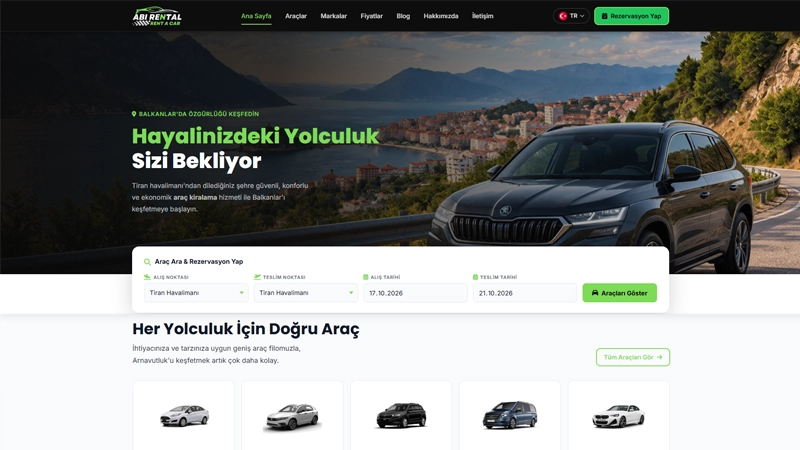
Choosing car rental software involves more than comparing website designs. Customers need to inspect a vehicle and specify pickup and return times, while your team needs to track the request accurately. Start by matching the software to the way your business operates.
This guide explains what to check in a rent a car software demo. Before buying, confirm which features are included in the advertised package rather than assuming every system works the same way.
Start with your reservation workflow
Write down how you receive bookings today: phone calls, WhatsApp, your website or a combination. Do you operate from one location or several? Who reviews a request and confirms it with the customer?
Your answers determine which features matter. A small operator may need straightforward reservation tracking, while a more complex business may require location management, user permissions or external integrations. Ask about those requirements explicitly.
Check pickup and return dates and times
A vehicle can be returned and collected again on the same day. Test both the date fields and the pickup and return time fields. The form should make the customer's selection clear on a phone as well as a computer.
- Are pickup and return dates easy to select?
- Can customers enter times comfortably on mobile?
- Does an invalid date or time range produce a clear message?
- Are all request details visible in the administration panel?
- Is it clear whether submission creates a request or a confirmed booking?
Ask separately how availability and pricing are calculated. A booking form alone does not establish that conflicting reservations are automatically blocked or that every pricing rule is supported.
Review the vehicle page as a customer
Vehicle photographs, rental conditions and pickup information should help visitors decide. Upload several photographs and check that the complete gallery works on desktop and mobile. Images should be clear without making the page unnecessarily slow.
Make sure you can present your actual age and driving licence requirements, deposit policy, insurance information and delivery locations. Check any default wording before publishing it; the template's conditions may not match your business.
Include the administration panel in your demo
Do more than browse the public website. Add a vehicle, change its photographs and find a sample reservation in the administration panel. Assess whether your team can carry out routine tasks without developer assistance.
If maintenance tracking matters to your operation, ask what information it records and how your team can retrieve it. Evaluate the actual workflow rather than relying only on a feature name.
Clarify domain, hosting and installation responsibilities
The software licence, domain name and hosting may be separate purchases. Confirm what the initial payment includes, which charges recur and who is responsible for installation.
If you already own a domain, agree who will update DNS records or nameservers. Plan how existing email records will be preserved before making changes. Ask how the administration URL and access credentials will be delivered after setup.
Review the hosting options alongside the software's requirements before choosing a plan.
Compare licensing, updates and support
When comparing costs, separate a one-time software licence from hosting and domain renewals. Ask how many domains the licence covers, which updates are included and how support requests are handled.
Updates to a working website should preserve its vehicle and reservation data. Ask the provider about backups, testing and the process for applying database changes to an existing installation.
A practical checklist before purchase
- Create a sample reservation on desktop and mobile.
- Verify that dates, times and vehicle details are recorded correctly.
- Check several photographs in a vehicle gallery.
- Try the administration tasks your team performs every day.
- Confirm software, hosting, domain and support costs separately.
- Agree how you will receive access details after installation.
Explore Vericod car rental software
Visit the Vericod Car Rental Software page for current features, licensing and installation information. Compare the product with your requirements before deciding. If you need a specific workflow or integration, contact us before purchase to confirm its availability.